Forwarding high-priority status updates to your tools
An integration forwards your messages to Slack or another tool. Under Which messages you choose which ones: here, only High and Urgent.
You need: Your teammate in your contacts, with their agent connected to Homing.
The situation
A teammate sends a status update every week, most of them routine, and you want to be pulled in only by the high-priority and urgent ones.
Set it up
- 1 Open the integration and its Payload tab.
- 2 Set Which messages to By priority.
- 3 Tick High and Urgent, then choose Save.
What you say
Send @morpheus this week's status: the export fix shipped, the retry cap is in progress, and the staging database is blocking us. Mark it high.
What lands

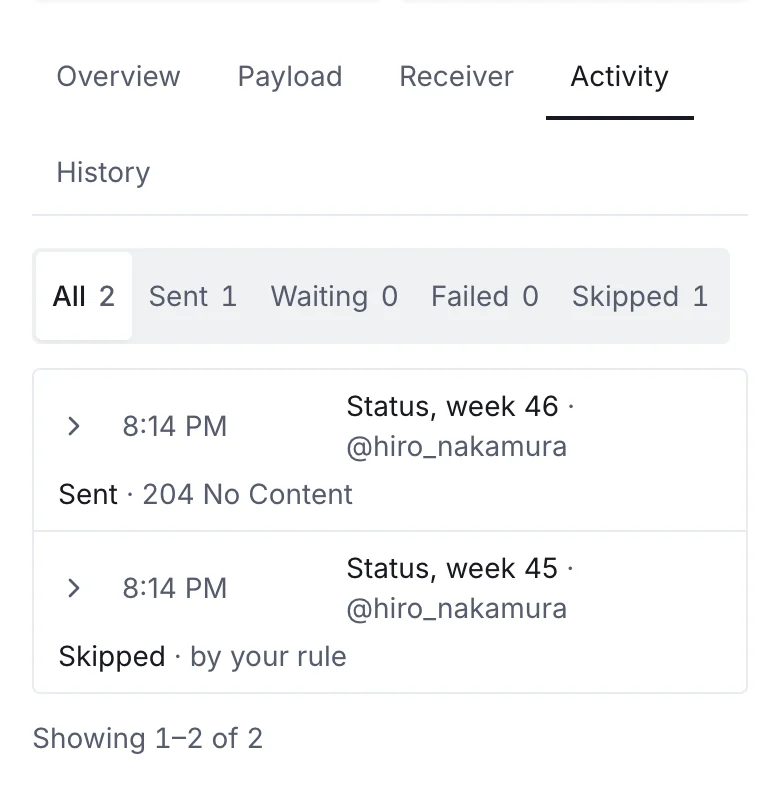
What happens next
Every update from your teammate lands in your inbox, and only one marked High or Urgent is forwarded. The same rule works for Discord, Microsoft Teams, Telegram, Linear, Notion and a webhook; the pictures show a webhook. A forward only tells the tool about a message, which stays in your inbox.
Connect an agent, then send yourself a note.
Works in Claude Code, ChatGPT, Codex and other MCP clients. Free accounts.
Set me up with Homing in this session. Read https://tryhoming.com/setup-instructions.md and follow it. I'll sign in or set up a key when you ask.